
Under-Bed Drawer Caster Clearance and Cut List
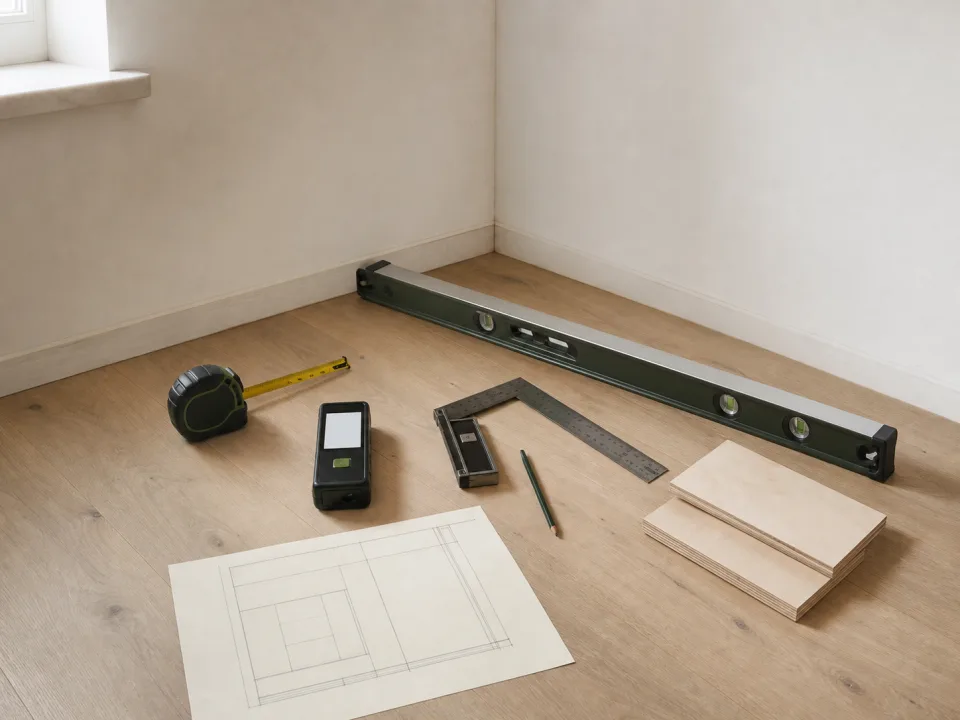
Measure the lowest bed obstruction, floor variation, rug, caster height, drawer front, handle, bedding, box joints, and usable depth.
Industry research library
Browse focused articles on plywood cut lists, woodworking calculators, maker apps, labeling, scanning, audio tools, shift calendars, QuiltFit planning, tile layouts, and stair stringer geometry.
Measure the lowest bed obstruction, floor variation, rug, caster height, drawer front, handle, bedding, box joints, and usable depth.
Calculate stair geometry in millimeters with finished-floor rise, riser count, going, total run, tread thickness, headroom, and local rules.
Carry floor tile through a doorway by planning reference lines, transitions, room centers, thresholds, joint alignment, edge cuts, and movement breaks.
Compare wideback and pieced quilt backing by required overage, fabric width, seam direction, print matching, longarm needs, cost, leftovers, and availability.
CutList
Measure the lowest bed obstruction, floor variation, rug, caster height, drawer front, handle, bedding, box joints, and usable depth.
Detail sloped tops, drip edges, bottom clearance, drainage, ventilation, sealed edges, hinges, lid support, and replaceable panels before cutting.
Coordinate stool count, knee clearance, support, cabinet depth, doors, end panels, aisles, countertop material, and electrical requirements.
Use model-specific clearances, shelf load, cord and plug path, door swing, controls, heat, trim, and service access to size a microwave cabinet.
Plan lift-up, tambour, pocket, or hinged doors around appliance height, countertop use, hardware, outlets, steam, ventilation, and adjacent cabinets.
Choose drawer heights, divider grids, slide type, label zones, cabinet depth, retrieval clearance, load, and growth capacity for shop hardware.
Coordinate printer footprint, trays, access panels, cable bend radius, ventilation, paper sizes, drawer slides, casters, and load.
Plan vinyl record shelf height, depth, span, divider spacing, back strength, floor load, anti-tip anchoring, and plywood yield.
Size vertical bays, base, casters, handle, ramps, dividers, and shop clearances around sheet weight, offcuts, doorways, and safe loading.
Set saw deck height, fence alignment, wing span, support, dust space, mobile base, storage, and long-stock clearance before cutting panels.
Coordinate router lift, motor airflow, fence port, enclosure volume, hose bends, access doors, switches, drawers, and removable panels.
Measure the sewing machine, lift or shelf, insert, knee space, cable path, vibration support, drawer clearance, and work-surface parts.
QuiltFit
Compare wideback and pieced quilt backing by required overage, fabric width, seam direction, print matching, longarm needs, cost, leftovers, and availability.
Plan half-square triangles from finished size, seam allowance, trimming method, construction technique, quantity, fabric pairs, and test-block accuracy.
Estimate quilt binding strips from perimeter, corner allowance, joining loss, strip width, fabric width, bias or straight grain, and repair margin.
Calculate straight quilt borders from center size, border widths, number of borders, fabric width, seams, directional prints, mitering, and cutting margin.
A quilt-along is easier to follow when weekly cuts, fabric roles, block counts, and catch-up notes are planned before each release.
Turn fabric scraps into usable project inventory by sorting color, value, size, print type, and strip potential before starting a new quilt.
Track quilt labels, dates, recipient notes, binding status, washing instructions, and final photos so a finished quilt has a complete record.
Memory quilts need careful fabric inventory, stabilizer planning, usable-area notes, and layout decisions before sentimental fabric is cut.
Sashing and cornerstones add structure, but they also change quilt size, fabric count, row assembly, and border decisions.
Plan quilt backing seams by checking quilt size, fabric width, longarm requirements, print direction, and how seams will sit behind the top.
Half-square triangles multiply quickly. Plan square sizes, trimming allowance, color pairs, block count, and fabric roles before cutting.
Plan mitered quilt borders by calculating strip length, corner allowance, print direction, repeat placement, and extra fabric before cutting.
Stairs
Calculate stair geometry in millimeters with finished-floor rise, riser count, going, total run, tread thickness, headroom, and local rules.
Compare housed or closed stringers with open cut stringers for appearance, structure, tread support, finish work, layout, cost, and repair.
Compare stringer count using stair width, tread material, manufacturer span limits, loads, notching, center support, and local structural requirements.
Estimate stair landing length and width from stair direction, door swing, travel path, handrails, exterior drainage, and local requirements.
Check stair headroom along the nosing line against floor framing, openings, landings, finish layers, and local code before moving walls or steps.
Understand walking lines, narrow-end tread depth, headroom, guard geometry, structure, and local approvals before using winders to turn a stair.
Account for tread thickness, decking, flooring, landing finish, and top attachment so the first and last risers match the intermediate steps.
Measure deck stair total rise when the landing slopes by establishing finished elevations, tread projection, drainage direction, and local requirements.
Stair nosing affects tread depth, comfort, finished run, and trim alignment. Decide the overhang before cutting treads or stringers.
Plan a short set of entry steps by checking total rise, landing depth, door swing, tread comfort, rail needs, and finished flooring changes.
A reusable stringer template saves time only when each flight has matching rise, run, stock, tread thickness, and top or bottom conditions.
Open deck stairs need consistent rise, safe tread support, code-aware gaps, weather exposure planning, and stringer spacing before cutting.
Tile
Carry floor tile through a doorway by planning reference lines, transitions, room centers, thresholds, joint alignment, edge cuts, and movement breaks.
Estimate grout from tile size, joint width, joint depth, coverage chart, waste, product type, movement joints, and a small test area.
Convert tile area into whole boxes while keeping waste, breakage, pattern cuts, dye-lot consistency, returns, and future repair stock visible.
Plan large-format shower wall cuts around plumb walls, niches, valves, corners, lippage, movement joints, handling, and waterproofing penetrations.
Plan a herringbone backsplash with a centered focal area, level reference, repeating module, balanced edges, outlet cuts, corners, and extra tile.
Estimate hex tile waste from mesh sheets, edge cuts, room shape, focal alignment, color blend, breakage, sheet coverage, and spare stock.
Calculate backsplash tile around cabinets, windows, outlets, corners, range areas, pattern repeats, trim, cuts, and whole-box ordering.
Estimate shower wall tile by measuring each wall, returns, curb, niche backs and sides, openings, pattern, cuts, waste, and attic stock.
A shower niche can waste more mosaic than expected because small sheets must wrap corners, shelves, slopes, and waterproof edges.
Tile transitions need finished height, expansion space, adjacent flooring thickness, doorway alignment, and trim selection before setting tile.
Hexagon tile creates distinctive edge cuts. Plan starting lines, perimeter balance, sheets, trim, and waste before the pattern reaches the wall.
Large shower panels need wall flatness checks, seam placement, handling space, niche alignment, and a waste plan before ordering.
PDF Scan
Scan warranties, serial numbers, receipts, manuals, and installation notes into a private folder before paperwork disappears.
Create a private PDF folder for permits, inspection notes, quotes, drawings, warranties, and material receipts during a remodel.
Scan renovation receipts, permits, quotes, warranties, and contractor notes into searchable PDFs before paperwork disappears.
Research notes on building a private scan-to-PDF workflow for receipts, contracts, IDs, forms, OCR search, signatures, locked files, and exports.
A practical filing approach for multi-page scanned documents in PDF Scan, covering naming, page order review, and folder structure before archiving.
How to combine, reorder, and organize multi-page scans into clean PDFs: page order, splitting and merging, naming, and keeping documents private on-device.
How to get clear scans from a phone PDF scanner: lighting, edge detection, contrast and color modes, resolution, and when OCR makes a document searchable.
A conversion-focused SEO guide to building a scan to PDF workflow for receipts, invoices, contracts, IDs, signatures, locked PDFs, CSV exports, and organized document projects.
A practical SEO guide to OCR PDF scanning, searchable documents, receipt and invoice text recognition, business card capture, and private on-device document workflows.
A high-intent SEO guide to choosing a private PDF scanner app for iPhone, with practical tips for scanning documents, receipts, IDs, contracts, notes, forms, and business cards.
SnapReceipt
Track job-site mileage with receipts, project tags, dates, purpose notes, and exportable records before tax time.
Use project tags to separate materials, mileage, meals, tools, and reimbursable costs across multiple jobs.
A research-style workflow for combining receipts, mileage logs, expense categories, job tags, exports, and privacy controls for small businesses.
How assigning tax-relevant categories to receipts at the moment of scanning in SnapReceipt avoids the annual scramble to remember what each receipt was for.
How scanning and reviewing receipts turns a pile of paper into searchable, categorized expense records you can total, filter, and export without a cloud account.
Why scanning receipts year-round beats a tax-season scramble: capture in the moment, categorize as you go, and keep private on-device records ready for filing.
Track spending without handing your data to the cloud. Why account-free, on-device expense tracking matters, and how SnapReceipt keeps records private.
A practical guide to logging business mileage for deductions: what records the IRS expects, standard rate vs actual cost, and how to log trips with SnapReceipt.
Stop losing receipts on the job. A practical system for tracking materials, tools, and job costs by capturing receipts as you buy, with SnapReceipt.
SnapLabel
Use photo labels for moving boxes so contents, room names, fragile items, and unpacking priority are visible without opening boxes.
Use photo-based labels to organize cables, chargers, adapters, and small electronics without guessing what each cord belongs to.
How SnapLabel's AI-generated label suggestions work from a photo, and when overriding the suggestion with a custom label produces a more useful result.
How photo-based labels make storage bins instantly identifiable: turning a snapshot of the contents into a clear printed label for garages, closets, and seasonal bins.
A simple workflow for creating printable labels from camera roll photos, AI suggestions, edited text, and final print review.
A batch labeling workflow for inventory rooms, supply closets, product bins, storage boxes, and photo-based label creation.
How small businesses can use a photo label app for product tags, stock bins, sample kits, shelves, and print-ready organization labels.
A practical home organization workflow for turning photos of bins, shelves, pantry items, and household supplies into printable labels.
How to use an AI photo label maker to recognize items, create clean text labels, and print organized labels from iPhone photos.
Private Meeting
Turn client calls into private notes, decisions, action items, and follow-up summaries without sending audio to a cloud service.
Turn a private meeting transcript into decisions, owners, deadlines, and follow-up notes without uploading the conversation.
Research notes on offline app privacy workflows for meeting transcripts, notes, scans, labels, receipts, journals, and other sensitive local records.
Practical tips for improving speaker labeling accuracy in Private Meeting Transcriber, and how to review and correct a transcript before relying on it.
How to convert voice notes into text privately for ideas, meeting follow-ups, task lists, project notes, and personal reminders.
A student workflow for recording lectures, creating offline transcripts, labeling speakers, and turning class audio into study notes.
How to run private interview transcription for research, hiring, journalism, and customer calls without uploading recordings to a cloud service.
A speaker labeling workflow for meeting notes, interviews, lectures, and private transcripts created on device with Priviscribe.
How an offline meeting transcriber can turn conversations into searchable notes while keeping audio and transcripts on device.
Speaker Tools
Use test tones, sweeps, and channel checks to evaluate subwoofer crossover points, room response, and obvious setup mistakes.
Use reference tones, channel checks, and simple speaker tests before recording voice, lessons, or small studio audio.
An honest look at who benefits from Speaker Tools' subscription-based tone and frequency generator, versus who can skip it entirely.
How to use a reference sound level meter view for relative loudness checks, safer listening habits, and repeatable audio experiments on iPhone.
How to use an audio test app to compare speaker placement, stereo balance, listening positions, bass response, and repeatable room checks.
A guide to low-frequency tone playback for bass response checks, speaker placement experiments, and safer listening habits with Speaker Tools.
How to use a stereo channel test to compare left and right speaker output, headphone channels, audio routing, and room placement without overcomplicating the setup.
A practical guide to using Speaker Tools as an iPhone speaker test app for frequency generation, stereo channel checks, tone playback, and basic listening experiments.
Work Shift
Use a rotating shift calendar to review overtime patterns, pay periods, swaps, and days off before payroll questions appear.
How to keep Work Shift Schedule Calendar accurate when a rotating shift pattern changes seasonally, by contract renewal, or by a new manager's schedule.
A practical workflow for using a shift calendar to see tomorrow's shift, next rest day, overtime blocks, and personal plans without roster confusion.
How rotating-shift workers can use a private schedule calendar to plan sleep, family time, commutes, overtime, and days off across changing rosters.
Why shift schedules can reveal private routines, and how an offline no-login shift calendar helps workers plan without handing rosters to a cloud account.
How to plan a 6x2 shift schedule, choose the right anchor date, review rest days, and avoid roster confusion with Work Shift Schedule Calendar.
A guide to replacing messy roster screenshots with a generated work shift calendar for rotating shifts, days off, and private schedule planning.
FridgeTrack
Track leftovers by cooked date, container photo, shelf location, and planned meal so the fridge gets reviewed before food is forgotten.
Check freezer space, dates, meal categories, and duplicates before a warehouse store or bulk grocery trip.
A meal planning workflow that starts with FridgeTrack inventory, checks what is already fresh, and turns missing ingredients into a smarter grocery plan.
How FridgeTrack helps households review expiring food, leftovers, freezer items, and pantry staples before the next grocery trip.
A practical guide to using FridgeTrack as a fridge inventory app for food storage, expiration reminders, grocery planning, and reducing forgotten items.
Pantry Label
Create readable spice drawer labels by format, refill date, cuisine group, or alphabetic order.
How a consistent pantry label system keeps a kitchen organized: naming conventions, decanting into jars, reprinting as stock changes, and labeling for fast finding.
Why pantry labels, expiry dates, notes, and kitchen categories can reveal personal routines, and how a no-login label maker keeps the workflow local.
A practical expiry date label workflow for pantry staples, freezer meals, leftovers, sauces, baking supplies, and family kitchen organization.
How to use Pantry Label Maker to create printable pantry labels, spice labels, snack bin labels, freezer labels, and organized kitchen storage.
Address Label
Print clean mailing labels for small batches, samples, holiday cards, invoices, and customer notes without a desktop mail merge.
How to prepare holiday card return address labels, decorative mailing labels, envelope previews, and PDF exports without rebuilding the layout every year.
A practical iPhone workflow for choosing Avery label templates, previewing address labels, adjusting spacing, and reducing misprinted label sheets.
How to use Address Label Maker & Envelope for return address labels, mailing labels, shipping labels, envelope layouts, PDFs, and home office printing.
SnapQR
Use QR labels for equipment manuals, setup notes, service logs, Wi-Fi details, and storage locations without making a messy binder.
Create QR table signs for menus, sign-up forms, Wi-Fi, portfolios, maps, and feedback without retyping links by hand.
How a Wi-Fi QR code lets guests and customers connect by scanning instead of typing a long password, and why a generated code is safer than read-aloud sharing.
Why QR scan history can contain private links, Wi-Fi details, contact cards, locations, and notes, and how SnapQR keeps generation and scanning local.
How to create Wi-Fi QR codes with SnapQR for home guests, offices, classrooms, rentals, workshops, and event spaces while keeping sensitive details private.
A practical SnapQR guide for generating everyday QR codes for websites, Wi-Fi, contacts, notes, labels, business cards, and printed signs.
Contacts Backup
How to find duplicate contacts, incomplete records, invalid emails, and messy phone numbers before creating a private backup file.
A practical workflow for exporting selected contacts, custom fields, photos, groups, tags, and cleaned contact lists into spreadsheet-ready files.
How to back up iPhone contacts with clean exports for spreadsheets, address books, CRM handoff, migration, and private local records.
The right order to back up, clean, and export iPhone contacts before switching to a new device, using Export Backup All Contacts Pro to avoid lost or duplicated entries.
MarketVendor
Compare booth layout, price changes, best sellers, fees, and location notes across market days before changing the product mix.
After a market day, record sellouts, slow movers, damaged goods, cash-card split, and location notes before the next restock.
How to review top-selling items, compare locations, and export market sales history for bookkeeping without heavy POS software.
A practical profit workflow for sellers who need to compare revenue against ingredient costs, stall fees, fuel, and other daily expenses.
How a private daily ledger helps market vendors, food trucks, and pop-up sellers record sales and understand real profit after costs.
How logging the cash and card split on every sale in MarketVendor reveals patterns in fees, float planning, and customer behavior that a single sales total hides.
How to use MarketVendor's location reports to compare two farmers markets or pop-up locations honestly before deciding where to focus selling time.
SnapCleaner
Before sharing project photos, remove duplicates, blurred shots, accidental screenshots, and private images from the export set.
Review old screenshots by duplicates, similar images, dates, and purpose so your photo library stops acting like a junk drawer.
Why photo cleanup, contact cleanup, file scans, and metadata removal should stay on device when personal media is involved.
A workflow for finding large videos, compressing files, checking quality, and saving space before travel, work, or another photo-heavy week.
How SnapCleaner helps review duplicate photos, similar shots, blurry images, screenshots, and media clutter with an on-device cleanup flow.
A practical cadence for running SnapCleaner scans based on how many photos you take, rather than waiting until an iPhone storage warning appears.
A private, on-device cleanup checklist with SnapCleaner for reviewing duplicate photos, screenshots, and large videos before selling or handing off an iPhone.
PhotoSafe
Keep client reference photos, IDs, measurements, room images, and sensitive project media separated from the public camera roll.
Use private albums to keep client images, IDs, reference photos, and personal media separated on the same iPhone.
How optional privacy layers help reduce casual exposure without turning a private gallery into a complicated security system.
A privacy-first explanation of on-device encryption, PIN access, Face ID, media separation, and no-cloud vault workflows.
How to use a private photo vault for personal media, ID scans, receipts, screenshots, travel documents, and local encrypted storage.
A practical album and naming system for PhotoSafe so a growing private photo vault stays searchable instead of becoming one long unsorted scroll.
An honest look at the fake PIN and decoy vault feature in PhotoSafe: what it actually protects against, and when a simple PIN and Face ID lock is enough.
Printer App
Print sewing patterns, shop templates, labels, checklists, and PDF guides from iPhone while checking scale and page range.
Print return labels, shipping PDFs, QR return pages, and packing slips from an iPhone without losing orientation or scale.
How to print photo sheets, web pages, image grids, and multi-image layouts without wasting paper or uploading files to a server.
How to scan receipts, forms, notes, IDs, and documents with a camera, review pages, then print or save a PDF locally.
A practical guide to printing PDFs, Word files, text documents, tickets, forms, and confirmations from iPhone with page preview and settings.
How a quick page preview check in Printer App catches layout, orientation, and page range mistakes before they waste paper and ink on a mobile print job.
PickOne
Use a random picker for simple team splits, chore rotation, order selection, or classroom turns while keeping the rules visible.
Why decision history, option lists, and reflection prompts can help people notice patterns without turning choices into a cloud profile.
How weighted decisions can make options feel fairer when some choices matter more than others but you still want a quick result.
How a random choice picker helps decide meals, errands, routines, study tasks, family options, and group choices while keeping a record.
How a random choice picker like PickOne works differently for group decisions such as picking a restaurant versus solo daily choices, and how to set it up for each.
SnapStock
Use product counts, photos, reorder points, and notes to avoid selling out of the same booth items every weekend.
Why product names, barcodes, quantities, supplier notes, and CSV exports should stay under user control for small inventory workflows.
A barcode workflow for adding products, increasing and decreasing quantities, setting low-stock thresholds, and reviewing activity history.
How a simple inventory scanner helps small shops, pop-up stores, workshops, classrooms, and storage rooms count products quickly.
A practical case for attaching product photos to SnapStock inventory items, even for products the owner can already identify without a picture.
A practical comparison of barcode scanning with SnapStock against a manual spreadsheet for small business inventory as SKU count and restock frequency grow.
SnapStock requires an active subscription, unlike some sibling apps. A practical look at when barcode inventory scanning pays for itself for a small shop.
Magnifier Reader
Use a big-text magnifier workflow for small hardware bins, paint cans, lumber tags, fuse panels, and printed instructions.
A practical, non-medical workflow for reading labels, copying notes, and setting simple reminders while keeping personal text on device.
A senior-friendly reading workflow for pasted text, long messages, reminders, contrast modes, and fewer confusing app screens.
How a phone magnifier and big text reader can help with small print, packaging, bills, menus, appliance panels, and everyday reading.
A practical comparison of a dedicated magnifier and reader app against the iPhone's built-in accessibility zoom, and when the extra features are worth using.
MindNest
Capture project lessons, stress points, decisions, follow-ups, and private reflections without mixing them into public task tools.
Why prompts, themes, search, and organization tools matter when a journal becomes a long-term personal record.
A calm journaling workflow for organizing thoughts, recording emotions, using prompts, and reviewing entries without uploading private writing.
How a private journal app helps protect thoughts, daily notes, reflections, and personal writing on device without requiring an account.
MindNest is a private journal, not a habit tracker. A practical look at building a consistent writing habit without gamifying something meant to be reflective.
Ritualix
Use a missed streak as review data: adjust cadence, reminders, triggers, and expectations instead of abandoning the habit.
Use a seasonal reset to retire stale habits, adjust reminders, review streak pressure, and build a lighter plan for the next month.
Why streak protection, weekly reflection, trends, widgets, and bite-size habit plans can support consistency without all-or-nothing pressure.
A workflow for pairing habits with focus timers, study blocks, deep work sessions, and simple reminders that keep momentum visible.
How a lightweight habit tracker helps build small actions, maintain streaks, and review consistency without noisy dashboards.
How Ritualix's widgets reduce the friction of checking in on habits by putting streaks and today's list on the home screen instead of behind an app launch.
A practical look at when Ritualix's AI-generated habit plans save real planning time versus when a hand-built habit list works just as well.
Invoice Maker
Turn scope changes into clear PDFs by documenting added work, pricing, approval dates, deposits, and final invoice links.
Break a project into deposit, milestone, change request, and final payment invoices with clear PDF records.
Turn a client change request into a clear estimate, revised scope note, PDF, and private invoice record.
Why paid, unpaid, overdue, client history, and PDF export records matter for freelancers without requiring a cloud billing account.
A practical estimate workflow for quotes, project scopes, materials, labor, taxes, discounts, and converting accepted estimates into invoices.
How a private invoice maker helps service providers create invoices, add line items, track totals, and send professional PDF bills.
Why a clean, itemized PDF invoice gets paid faster and looks more professional than a handwritten receipt, and what every invoice should include to avoid disputes.
Expense Report
Why reimbursement records should be reviewed locally, exported deliberately, and organized by trip, client, project, or month.
A travel expense workflow for keeping receipts, notes, dates, categories, and report exports organized during busy work trips.
How to capture receipts, categorize expenses, review totals, and create clean reports for reimbursement without building a spreadsheet.
How to decide between organizing receipts into monthly expense reports or per-trip reports in ExpenseReportMaker based on how your reimbursement process actually works.
SignatureMark
Add consistent watermarks to finished project photos, pattern previews, product images, and tutorial shots before sharing online.
Why watermarking should happen before public sharing, with local image handling and consistent exports for portfolios, products, and social posts.
A practical branding workflow for choosing placement, sizing, color, transparency, and export settings across repeated creator images.
How SignatureMark helps creators add readable watermarks, signatures, logos, and brand marks before sharing images online.
How to use SignatureMark to apply a consistent signature watermark across an entire photo shoot before delivering previews or posting online.
GlowFeel
Why emotional notes, daily messages, expression history, and privacy settings should stay under user control in a wellness app.
How a grounding workflow can help users slow down, notice their surroundings, and return to the day without medical or treatment claims.
A non-clinical self-reflection workflow for breathing, naming emotions, writing a short note, and keeping personal entries local.
An honest look at GlowFeel's private journaling and breathing tools as a daily self-reflection aid, and why they are not a replacement for professional mental health care.
Fast Rhythm
Shift work makes meal timing harder. Track fasting windows, sleep, reminders, and schedule changes without assuming every day repeats.
Why fasting sessions, sleep times, hunger notes, streaks, achievements, and rhythm scores should be treated as private lifestyle data.
How weekly rhythm reports can help users compare fasting completion, sleep duration, sleep quality, and routine consistency over time.
A non-medical routine-tracking workflow for fasting windows, sleep logs, rhythm awareness, and weekly review on device.
A practical explanation of how Fast Rhythm's weekly rhythm score works and why it is a more honest measure of routine consistency than any single day.
Image Compressor
Compress product photos for marketplaces, forms, catalogs, and client portals while preserving enough detail for review.
Use image compression and ZIP export when web forms reject large uploads or require several images at once.
Why quality previews, PSNR/SSIM-style scores, resolution choices, and compression levels help avoid blurry or oversized exports.
A workflow for compressing dozens of photos, reviewing savings, bundling files into ZIP, and sharing cleaner batches for work or travel.
How to compress large iPhone photos, compare quality, choose JPEG or PNG, and reduce file size without uploading images to a server.
A practical guide to choosing JPEG or PNG output in Image Compressor & ZIP based on where the file is going: web upload, email, print, or app submission.
Cadenza
Save target tempos, tuning references, rehearsal notes, and practice order so a setlist gets more consistent each week.
Use tap tempo, metronome presets, tuner checks, and setlist notes to keep rehearsal tempos from drifting.
How Cadenza's drone tone feature supports ear training and intonation practice beyond its basic use as a tuning reference during rehearsal.
Why ensembles tune to different A4 references like 440, 442, or 432 Hz, what the cents readout means, and how to match the pitch standard your context requires.
How to use tempo ramping to build speed on an instrument: start slow, increase gradually, and let a metronome raise the BPM so practice stays relaxed and accurate.
A high-intent guide to using Cadenza as a private music practice tracker with setlists, metronome settings, tuner context, tempo notes, and offline rehearsal memory.
A musician-friendly guide to using Cadenza as a guitar tuner app, chromatic tuner, A4 reference tool, and drone tone companion for cleaner intonation practice.
A practical high-SEO guide to using Cadenza as a daily metronome app for musicians who need steady tempo, tap tempo, accent control, tempo ramping, and private offline practice.
Tinnitus
Plan a private sound masking setup for travel nights, unfamiliar rooms, changing noise levels, and sleep routines.
A practical look at matching Tinnitus Relief's ambient soundscapes to the actual environment and activity, rather than picking one favorite sound for every situation.
White noise vs pink noise for sleep and tinnitus masking: how the two differ in tone, which feels gentler, and how to choose and layer masking sounds.
An evidence-aware explanation of frequency matching, notch filtering, and personalized sound masking for tinnitus apps, written for users who want control without clinical overpromising.
A high-intent guide for users comparing tinnitus relief apps, cloud audio, streaming sleep sounds, and private on-device sound masking on iPhone.
A research-informed, human guide to why tinnitus awareness often spikes in quiet rooms and how sleep sounds, sound masking, and offline app routines can help reduce the burden.
A practical SEO guide to white noise tinnitus masking, pink noise, brown noise, rain, ocean, fan sounds, and how to choose a sleep sound app without overcomplicating bedtime.
A realistic, evidence-aware guide to using an offline tinnitus relief app, sound masking, white noise, rain, and sleep sounds when ringing feels louder at night.
Atomic Clock
Use a clear time display for remote meetings, countdown starts, stream timing, and cross-time-zone coordination.
Use an atomic-style clock display for recording starts, remote coordination, lab timing, streams, and event countdowns.
A practical look at when Atomic Clock's keep-screen-on feature is worth the battery trade-off, for recording setups, labs, and time-sensitive reference use.
Why a precision clock app does not need accounts, analytics, or tracking to function, and what privacy-focused design looks like in a simple utility like Atomic Clock - Precision Time.
How to use a dual local time and UTC display to coordinate across time zones without manual conversion errors, with a practical workflow using Atomic Clock - Precision Time.
Why small clock offsets matter for podcasts, livestreams, synchronized recordings, and lab timing, and how to verify device time with offset and latency readings before you start.
A practical comparison of clock display styles in Atomic Clock - Precision Time, including analog, flip clock, binary, neon glow, minimalist, and circular dot designs.
A practical guide to network time protocol, clock drift, and how Atomic Clock - Precision Time shows offset and latency so you can verify your iPhone clock against a real reference.
Tech
AI-generated UI still has to meet accessibility standards. Fast generation is useful only when keyboard, labels, contrast, and text flow are checked.
AI features should be judged by usefulness per unit of compute. Energy, latency, and cost budgets encourage smarter model choices.
AI-generated dashboards can speed exploration, but metric definitions, grain, filters, and caveats still decide whether the decision is valid.
Sales agents can draft updates and research accounts, but they need strict limits around discounts, commitments, personal data, and customer messaging.
Realtime voice AI can handle routing and routine answers, but handoff quality decides whether customers trust it.
Hybrid search combines keyword filters, structured fields, and vectors. It works best when each method has a clear job.
AI infrastructure choices should include portability, data egress, model routing, and vendor fallback before usage becomes too large to move.
Passkeys improve login security, but support teams still need secure account recovery flows that do not recreate password-era weaknesses.
Redaction is not only for legal teams. Product teams should remove unnecessary personal data before prompts, logs, analytics, and test datasets.
A chatbot will expose every stale article, duplicate policy, and unclear owner in a knowledge base. Cleanup should happen before model tuning.
AI search rewards clear entities, helpful summaries, source credibility, and structured pages. The work looks more like information architecture than old SEO tricks.
LLM cost control needs budgets, caching, model routing, input trimming, and usage alerts. Cost is a runtime feature, not an afterthought.
Core guides