Stop buying the extra sheet “just in case”
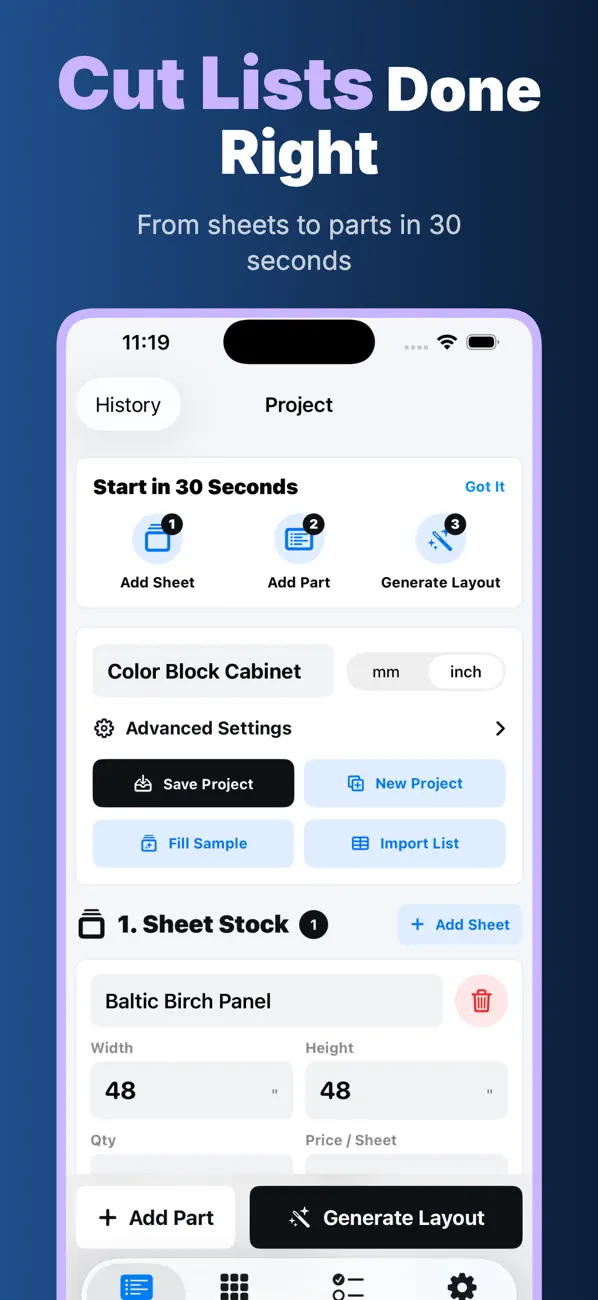
Enter the real stock, parts, quantity, kerf, and rotation rules. CutList shows the material consequence before the first panel is broken down.
Plywood plans that survive real project changes
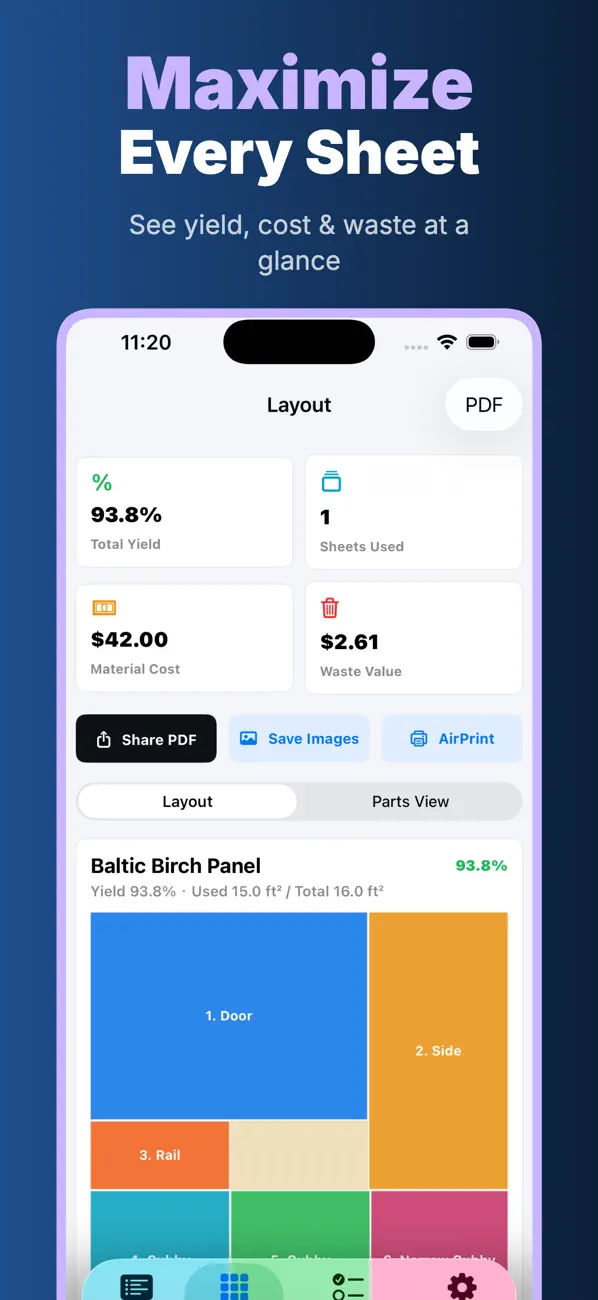
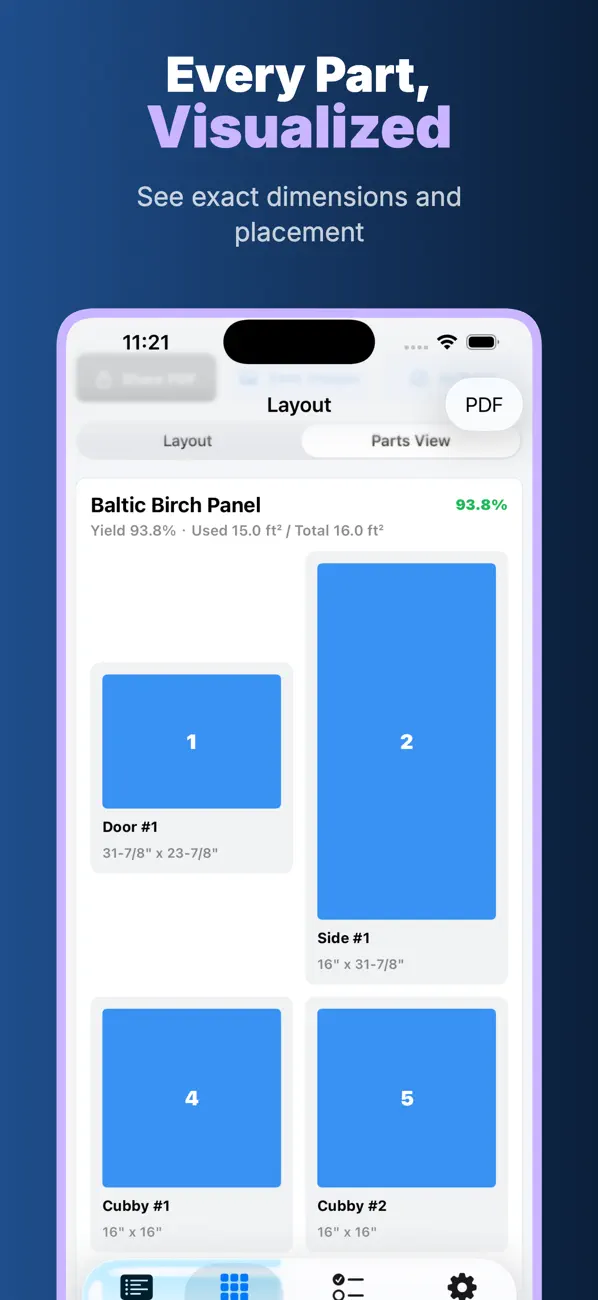
Scan or enter the parts, generate a visual sheet layout, review material cost and waste, then carry the cutting sequence into the shop—offline on iPhone or iPad.
Built around the failure you want to avoid
Every feature below maps to a specific source of material waste, repeated entry, or cutting ambiguity.
Enter the real stock, parts, quantity, kerf, and rotation rules. CutList shows the material consequence before the first panel is broken down.
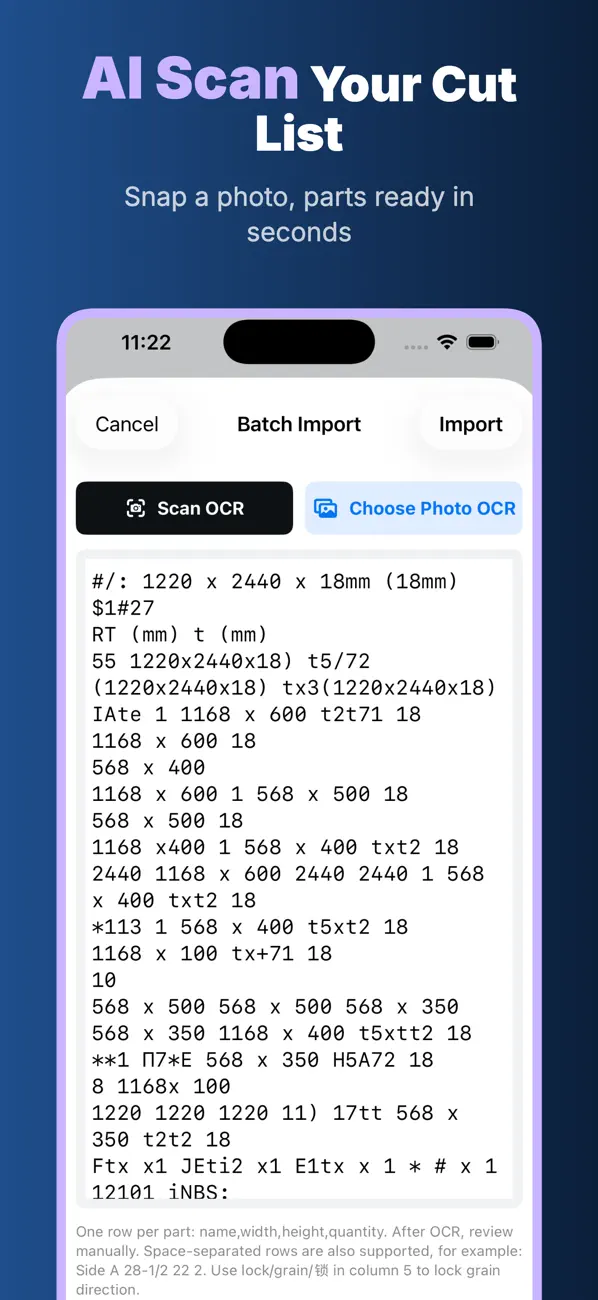
Use on-device AI OCR in CutList Pro to scan a handwritten or printed list, then review the recognized rows before generating the layout.
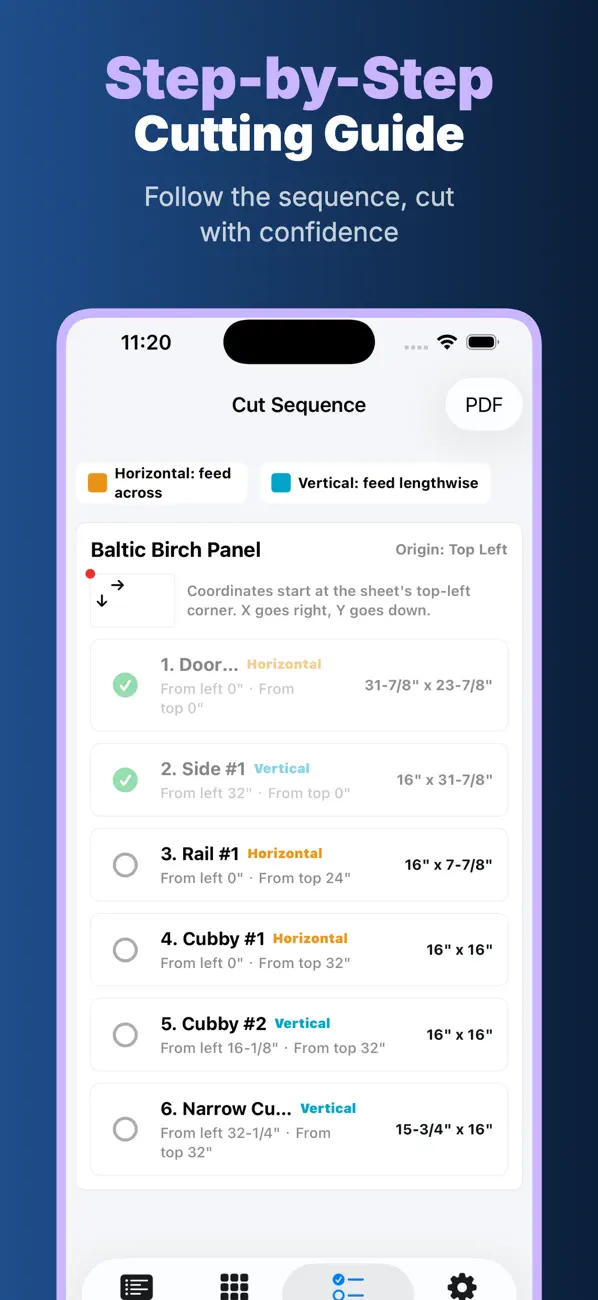
Follow a step-by-step cut sequence with exact coordinates and mark completed cuts as the sheet is processed.
Save, reopen, edit, and duplicate projects so a changed shelf or cabinet side does not force the whole plan back into scattered notes.
Lock grain direction, set the real blade kerf, use inch fractions or metric units, and account for edge-banding decisions before release.
CutList Pro exports layouts and cut sequences to PDF, saves layout images, and supports AirPrint from iPhone or iPad.
Real App Store screenshots
Start with stock and parts, inspect the layout, follow the sequence, and keep the records local.
Clear before download
CutList is free to download and includes basic layout generation. CutList Pro is required for AI Scan, PDF export, AirPrint, unlimited projects, and additional professional tools. Subscription pricing is shown inside the App Store and the app for your region.
Real public feedback
3 public US App Store ratings are currently available. The small count is shown directly rather than inflated into a larger claim.
This app takes the headache out of planning plywood cuts.The optimization results are surprisingly good and have helped me reduce waste on multiple projects.It’s simple enough for beginners but powerful enough for professionals.👍
Chris_O888 · verified public App Store reviewExcellent plywood cutting optimizer!I’ve tried several similar apps and this one is by far the easiest to use.The cutting planning is fast,accurate,and helps reduce waste a lot.
AlexInCity · verified public App Store reviewThis app saved me so much time in my woodworking projects.I used to calculate plywood cuts manually and always wasted material.Now I can quickly create optimized cut layouts in seconds.I especially like the visual layout feature because it makes every cut very clear.👍👍👍👍👍
Nicolas Tom · verified public App Store reviewBefore you install
Yes. Basic layout generation is free. AI Scan, PDF export, AirPrint, unlimited projects, and other professional tools require CutList Pro.
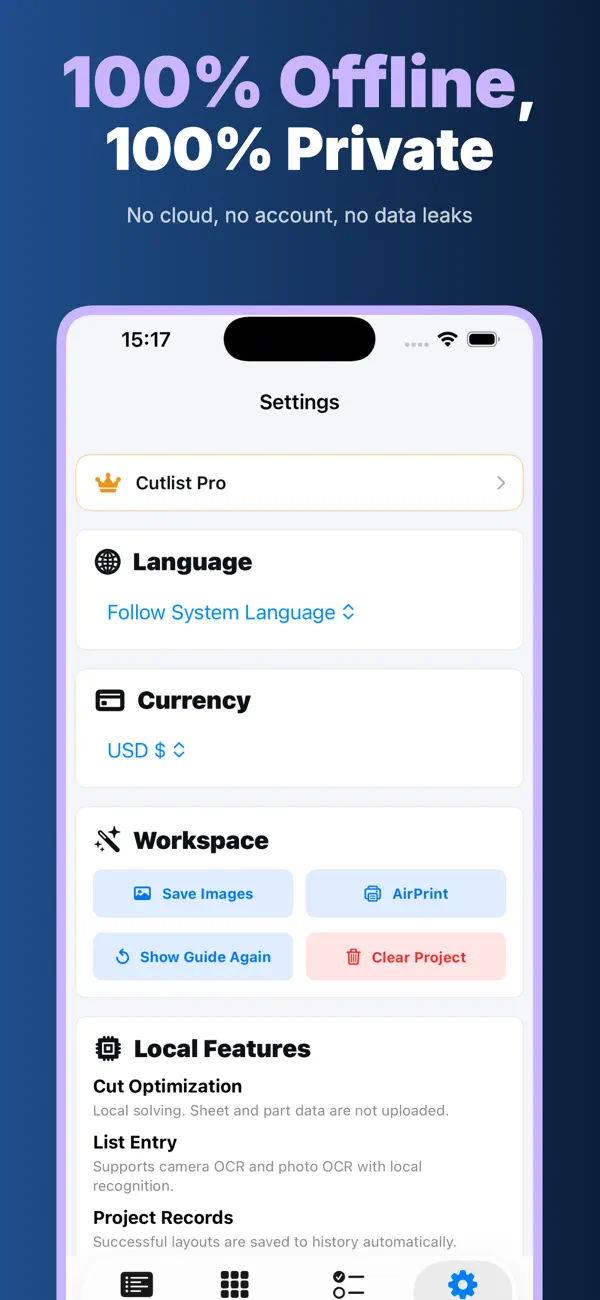
No. Project data and cut-list processing stay on your device. No account or cloud upload is required.
CutList Pro includes local AI OCR for handwritten or printed lists. Review every recognized name, dimension, quantity, and grain rule before generating a layout.
Not currently. The website is for a quick browser estimate. Use CutList to create and retain the reviewed project, or scan a prepared parts list with CutList Pro.
Keep the checked result
Start with free basic layout generation, then decide whether the advanced scan, export, and printing workflow fits the job.
 On a computer? Scan with your iPhone or iPad.
Compare before choosing
Use these decision guides to compare the documented app workflow with manual methods and familiar alternatives.